
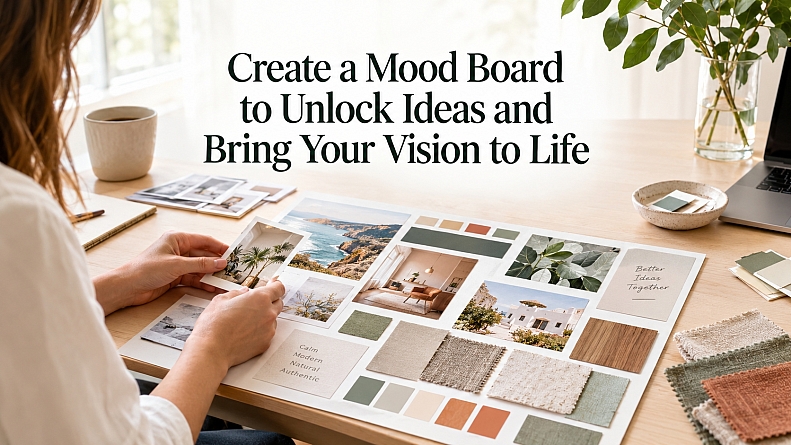
Create a Mood Board to Unlock Ideas & Bring Your Vision to Reality
For brand managers, DIY renovators, and content creators mapping out a new creative project, the hardest part often isn’t effort; it’s creative problem-solving when ideas feel scattered, and every option seems plausible. Visual communication challenges show up fast when a concept sounds clear in someone’s head but gets lost across comments, screenshots, and mixed feedback.
Mood board benefits start with bringing design inspiration sources into one shared visual language, so decisions stop feeling like guesses. With a stronger sense of direction, creative project planning becomes simpler and more consistent.
What a Mood Board Really Does
A mood board is a curated collection of images, colors, textures, and references that captures the feeling and direction you want before you build anything. Think of it as creative project visualization that turns a fuzzy idea into something you can point to, compare, and refine.
This matters because decisions stack up fast, especially when several people give input. A shared visual helps teams agree on the vibe, reduces back-and-forth, and protects consistency when small choices could pull the project off-course.
Picture planning a room refresh with a partner. You both say “warm and modern,” but your examples don’t match. A visual direction tool makes those differences obvious early, so you align before buying paint or furniture.
Clear direction gets even stronger when your images look cohesive and easy to read.
Refine Mood-Board Images with AI for Clearer Visual Coherence
Once you understand how a mood board sets a shared creative direction, the next advantage is making every reference image equally easy to read and compare.
AI image optimization tools can upgrade the quality of the visuals you collect by improving clarity and consistency, so your board looks cohesive instead of like a collage of mismatched resolutions, lighting, or color casts. When images feel more uniform, it becomes easier to compare ideas side by side, spot repeating themes and patterns, and communicate your creative intent to collaborators without confusion.
An AI image-to-image generator can also help when you like the composition of a reference but need it to fit a different aesthetic: you provide an existing image as the starting point and use prompts to guide the tool into producing new variations or a shifted style while keeping the original concept recognizable. For example, Adobe Firefly can transform a reference image into alternative looks you can place on your board to test and align on a direction.
With your refined visuals ready, you can move into the practical steps of assembling a digital or physical mood board from images, colors, textures, and type.
Build a Mood Board From Images, Color, Texture, and Type
A mood board helps you turn vague inspiration into a clear visual direction you can actually act on. For general readers, this process makes it easier to make creative choices without second-guessing every detail.
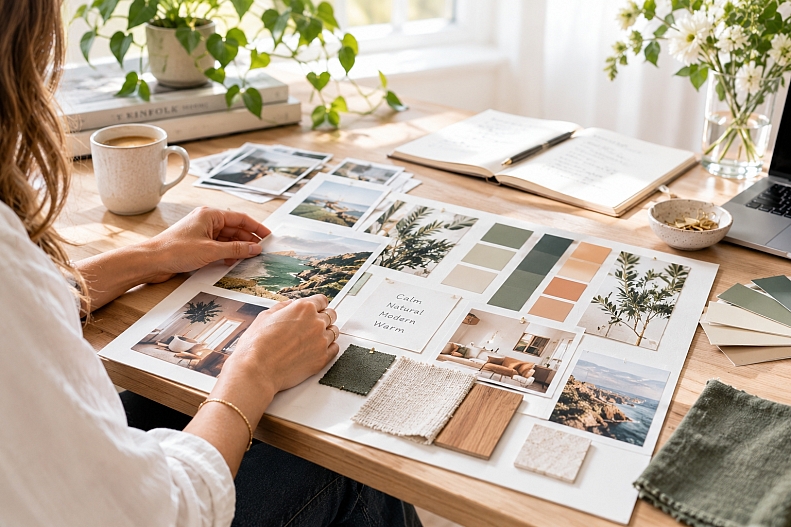
- Step 1: Collect a small, focused set of images
Start with 15 to 30 visuals that match the feeling you want, such as photos, product shots, landscapes, or packaging. For a digital board, save links or files into one folder; for a physical board, print thumbnails so everything is the same size. As you gather, keep only images you would be happy to show someone else as “the direction.” - Step 2: Choose a color palette that matches the mood
Pull 3 to 5 main colors from your strongest images, then add 1 to 2 accent colors for contrast. The goal is emotional clarity, since evoking specific emotions is exactly what color does when it is chosen intentionally. Digitally, use color swatches; physically, include paint chips, paper samples, or small blocks of colored cardstock. - Step 3: Add texture cues to communicate “how it should feel”
Textures explain the vibe faster than words, like matte vs glossy, soft vs gritty, organic vs sleek. Include 4 to 8 texture references, such as fabric weaves, paper grain, wood, metal, or brush strokes, so your board signals both look and touch. For inspiration on why textures matter across formats, organic textures show how a simple grain can make visuals feel more natural and cohesive. - Step 4: Pick 1 to 2 type directions and set basic rules
Choose type samples that match the personality of your board, such as calm, playful, premium, or bold. Add notes like “headlines in a clean sans serif” or “body text should be easy to read,” so you are not just collecting fonts but defining how to use them. On a physical board, print type specimens; on a digital board, paste text screenshots and label what each is for. - Step 5: Assemble, compare, and edit for consistency
Arrange elements so you can compare them at a glance: cluster by theme, keep spacing even, and label sections like Color, Texture, Type, and Photography. Then remove anything that fights the overall direction, even if you like it on its own. Your final board should feel like one story, not five competing ideas.
You do not need perfect taste, just a clear process you can repeat.
Mood Board Ready-to-Use Checklist
To stay focused as you finish:
This checklist keeps your mood board practical, not just pretty. Use it to confirm the essentials, reduce decision fatigue, and walk away with a direction you can explain and repeat.
✔ Confirm 15 to 30 on-theme images you would confidently show others
✔ Select 3 to 5 core colors plus 1 to 2 accents
✔ Add 4 to 8 texture references that signal the desired feel
✔ Choose 1 to 2 type styles and write one usage rule each
✔ Label sections clearly: images, color, texture, type, notes
✔ Remove anything that conflicts with the main story you want told
✔ Save or photograph the final board for easy sharing and feedback
If you can explain your board in one sentence, you are ready to create.
Turn a Mood Board Into Clear, Consistent Creative Direction
When ideas are swirling, it’s easy for a project to lose focus, drift in style, or stall once feedback starts coming in. A mood board mindset brings order to that mess by turning instincts into visible choices that support project clarity and collaborative creativity.
The mood board advantages show up quickly: clearer decisions, smoother collaboration, and more consistent visuals from first draft to final deliverable, building real creative empowerment along the way. A mood board turns scattered inspiration into a shared, confident direction.
Choose one upcoming project and refresh the board before the next conversation or revision so it stays a source of ongoing design inspiration. That steady process matters because clarity reduces stress and frees more energy for resilient, purposeful creativity.
LEAVE A COMMENT
Recent Posts

0.1191